Camera
Shows what is happening at the entrance and sends the image to the connected tablet.
 IKIME
IKIMETechnology for home

YOUR HOME. YOUR RHYTHM.
See what is happening at your door. Revisit a moment that matters. Keep family plans in mind. IKIME brings your camera, home tablet and phone app together.
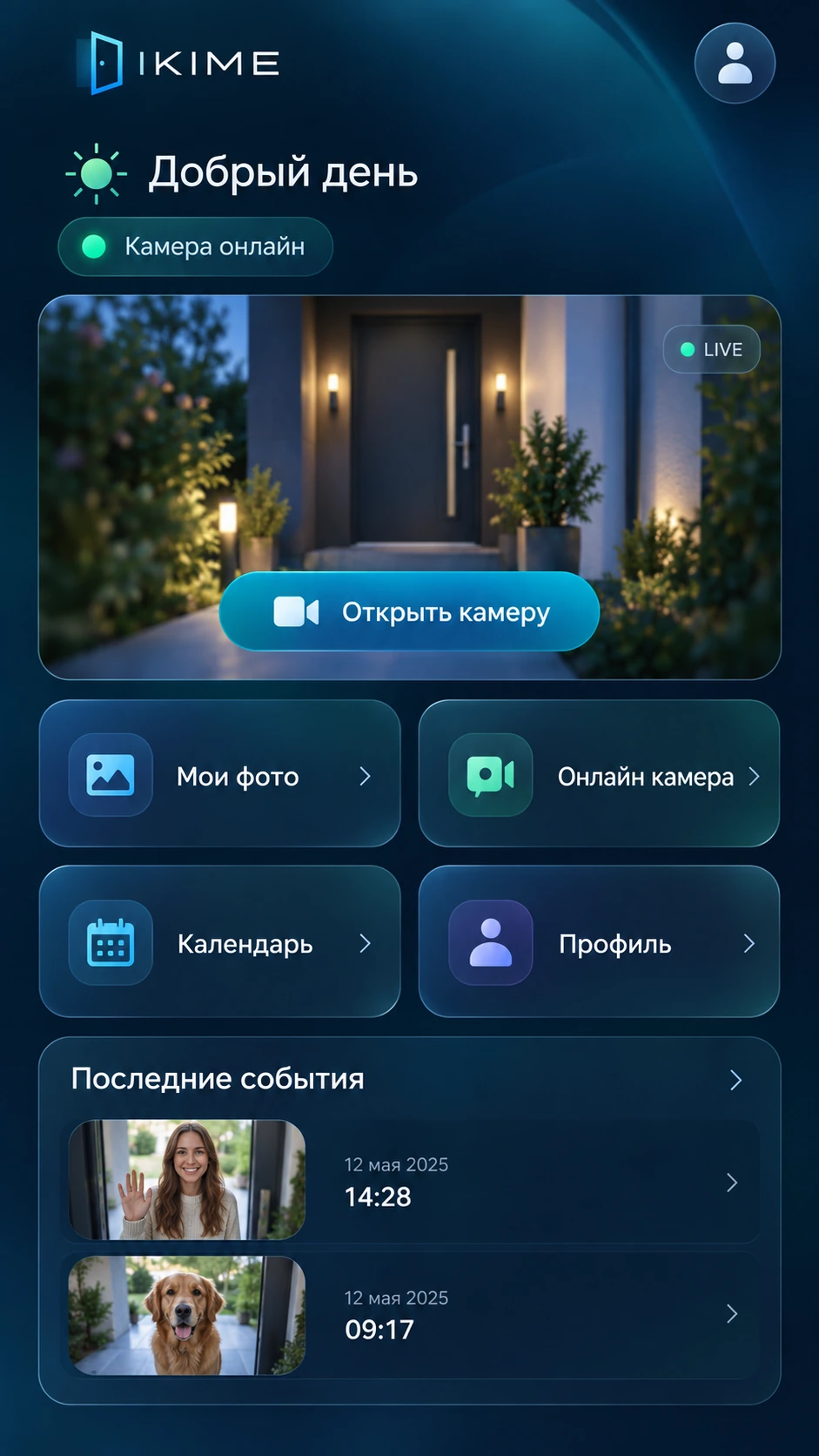
Interface examples • demonstration images
ONE SYSTEM — THREE POINTS OF ACCESS
Shows what is happening at the entrance and sends the image to the connected tablet.
Combines the camera, clock and calendar. Captures photos and videos according to your system settings.
Access saved media and reminders through one account. Live camera viewing is available in the Android app.
MADE FOR EVERYDAY LIFE
Open the camera in the Android app to check the entrance. Connection status helps you see whether the camera is currently available.
Photos and videos have separate sections. Choose a date, open a recording full-screen and pinch to zoom in on the details.
Choose a day in the calendar and add a reminder. Recurring plans can repeat monthly or yearly.
A clock, calendar and seasonal backgrounds make the tablet part of your home. Your camera is accessible from the same device.
Pick a complete kit or your own compatible tablet and USB camera. Compatibility is checked before connection.
Connect the camera to the tablet and the tablet to the internet. The complete kit includes installation and setup.
Link your home device to your account, then sign in on your phone or in your online account.
View the camera in the Android app, browse saved events and keep track of reminders.
A FEW FAMILIAR MOMENTS
Want to check the entrance? Open the live camera in the app. Remote viewing needs an internet connection at home and on your phone.
Choose a date in the gallery, open a saved photo or video and zoom in. For example, revisit a recording of a courier’s visit.
Add a reminder for an appointment or birthday. Reading it on one device does not remove the unread indicator on another.
TWO WAYS TO GET STARTED
For a system with equipment selection and setup included.
Kit contents, installation costs and subscription terms are agreed before ordering.
For those with compatible devices or who prefer to choose their own.
Equipment and installation are not included. Plan and storage terms are confirmed before connection.
FAQ
Yes. Remote viewing, account access and synchronisation require an internet connection. The calendar on the home tablet can work without the server.
Yes, if your tablet and camera are compatible. A subscription does not make every device compatible; equipment must be checked before connection.
In the app or your online account. Media is organised by type and date. You can open photos and videos and zoom in.
Storage terms and retention periods must be agreed when choosing a subscription. Unlimited storage or an unconfirmed retention period is not promised.
The main mobile app is prepared for Android. Please check the availability of individual features on iPhone and in the browser before connecting.
This offer covers camera viewing, photos, videos, a calendar and reminders. Lock control and two-way voice communication are not included.